

Building a content calendar for your b2b business should be straightforward. You know your products, you know your customers. Yet, getting clients to move from their first interaction with your brand to buying can often be far more complex than it needs. Having a coherent content calendar in place that covers every channel and campaign will make your and your client’s lives much easier. Here is how to build the best content calendar for 2026.
- Have you got a good content calendar template that works?
- The first step to building a content calendar
- How do I create a content calendar template?
- Set up your content system
- Fill the gaps
- Don’t forget your lead magnets
- Re-use what you can
- Give yourself space for the busy times
- Use the content calendar even when you’re busy
- What should a content calendar include?
- How do I create a content calendar in Trello?
- Need help planning 2026 content?
Have you got a good content calendar template that works?
Over the years, I’ve used plenty of content calendars. From a Google calendar to Trello, with Monday and Notion in between. I personally prefer a good spreadsheet, but whatever you use, it needs to be simple. I’ve rocked up at a client’s and found the most difficult and overly complicated spreadsheets masquerading as a content calendar, had to rip it all out and start again.
The main source of a lacklustre content calendar is not having a content strategy in place first.
The first step to building a content calendar
Here’s what usually happens: you plan out a month of content, go off and create a week or maybe two, get them scheduled up, and maybe finish off the month as you planned. Except, by month two, you’re already missing stuff you wanted to talk about. By month three, you realise you’ve not posted anything in a week.
And then the cycle repeats itself.
This is because you’ve not got the right foundations in place. You need to know what you’re going to launch and when, having a strategy of how you will do that, and an end goal.
Then you can nail the content calendar without it being a total time suck, put out the content you need to market your B2B business AND know what metrics you need to track to hit your goals.
Ready to get started?
Right, if you’ve not got a content strategy in place, go read this blog here and then come right back. Once you know what content you need and how often, you can start to bring the rest of the planning together.
Next, you want to nail down your content buckets. You might also know these as content pillars or topics.
You’ll want content buckets for your big content. That’s the blogs, videos and podcasts. The stuff that lives on your website. You’ll want a wider range of content buckets for your social media. Then you’ll also want a plan for your newsletter.
For example, my content buckets are thought leadership, long-form content, blogging and SEO.
Once you have all of that in place, you can start with the content calendar.
How do I create a content calendar template?
What I’ve learned as a content manager for businesses both big and small is that you build the content calendar to fit your needs.
This is why you’ll see lots of people using lots of different spreadsheets, and none of them quite working just right. Some have too much info and some too little.
I realise this isn’t helpful when you’re struggling to find that perfect content calendar option, but if you try to hack something to work for you, you’ll have more chance of sticking to it rather than bending how you work around someone else’s ideals.
Set up your content system
Once you have your content calendar in place, you then need to set up your content system. Start with your key sales periods.
If you don’t know what you’ll be launching over the next 12 months, now is the time to sit and work it out. Maybe you’re a service business, like me. Then you’ll need to have some juicy offers to sell over the year alongside any other client work.
For example, I have my PIMP programme, which mentors founders in content marketing over the course of a year. I sell this once a year, as it takes up a large chunk of my time and attention, so places are limited.
Then I have my Kick-Ass Sales Package. I’ll give this a push a few more times a year. And I know that my Content Strategy package sells more during November than any other time of the year. Plus, I have a Content Clinic that I will nudge folks about in between all the rest of the stuff.
If you need help packaging up your services, I recommend you go chat with Julia Chanteray over here or Janine Coombes over here.
Once you know what you’re selling, then you can add in your launch periods. These are usually around 1-2 weeks when you really push the content on these products.
Next, you want to pencil in your content buckets. Let’s say you have 3-4 content buckets for your blog. You’ll outline when you’re going to talk about each one across the year. Trying to tie it in with any launches you have as well.
You might then want to use your blogs to push your social media content. This is content repurposing. You take your big points from your blog and turn this into the socials. Make sure to add in any extra content buckets you have for social media, such as behind-the-scenes or personal posts.
If you do this across your calendar for the next three months, you should see how the plan is starting to come together.
Fill the gaps
If you’re losing the will to live a little at this point, that’s okay. You might find you have gaps to fill and no clue what to put in there. If it’s more than a couple of months away, leave your brain to tick over what might go in there and don’t worry about it for now.
Remember, you don’t need to put something out every day. You can always use those blank days to have a conversation with people in your network. Send some DMs, and comment on other people’s posts. This is all content, but not the content everyone can see.
A word on awareness days – many people use these as the sole reason for their content calendar. Instead, save it for what is timely and relevant for your audience.
Don’t forget your lead magnets
While you’re doing all of this, it can be easy to forget to promote your newsletter or lead magnets. Put these into your content calendar at regular intervals, and people will join you. By now, you should have a pretty full content calendar, but remember – this only works if you use it.
Take out a day a month to create as much content as you can. Draft it out in more detail, and take the photos and film that you need. You might need to tweak it as you go.
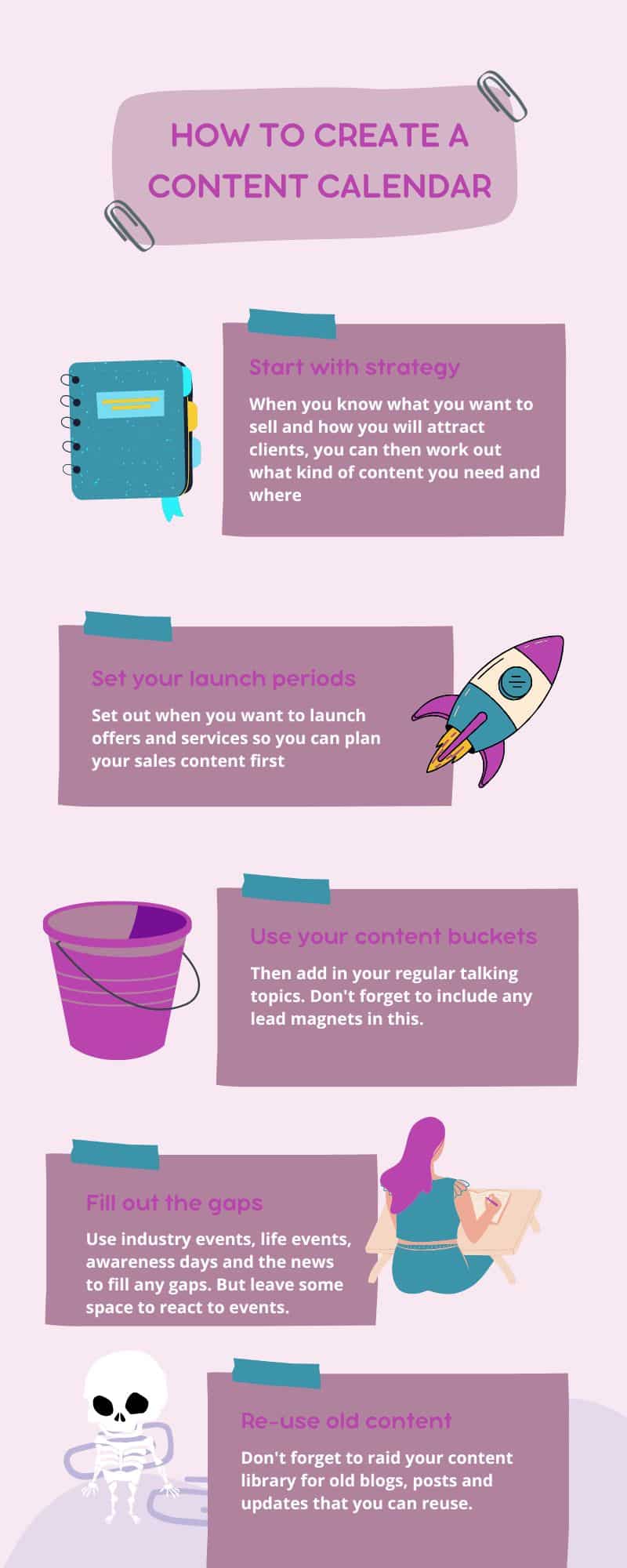
Re-use what you can
Also, don’t be afraid to reuse existing content. This blog post came from several older blogs that became out of date as the world of content shifted.
What works now might not be relevant in a couple of years. So go back and update those blogs. You might find you have a wealth of content already.
Save yourself some time and repost existing where you can. Especially older blogs that you know will do well.
Give yourself space for the busy times
While you have a plan, it creates space to be more responsive. Let’s say something’s happened and you want to comment on it with your morning post. Go do it. Whatever you have drafted out can fit into another day. You need to leave space to add things on the fly.
And don’t beat yourself up trying to do all the things. Get done what you can that you know is going to bring in sales (if you’re not sure, book a call with me, and I might be able to help with one of those packages I mentioned).
Use the content calendar even when you’re busy
Finally, you want to make sure you use your content calendar. Over the years, I’ve learned that if I diarise an event to update my calendars, it gets done. I use Click Up for this, and so far, I’ve been blooming consistent with using my content calendars across my business and my clients’ businesses.
What should a content calendar include?
A content calendar should include:
- What you’re planning to sell or promote
- The campaigns you’ll be running to make those sales
- Any big content that lives on your platforms, such as your blog or podcast
- Any video content
- Evergreen content – this is the stuff you put out regularly, like your lead magnets
- Any key dates for your industry or business
- And any sales posts.
Plus, don’t forget to tell your brand story. This could be about the person behind the brand, what happens behind the scenes or fun stuff that folks can relate to. And you need to put it all in your tone of voice.
How do I create a content calendar in Trello?
First, make a list for each month. Next, you’ll need to make cards for each date you have something you want to post. You can use the colour tabs to organise what’s a blog and what’s a social media post, or what’s a newsletter. And if you repeat the process a lot, then make use of those lists. It’s very satisfying to check tasks off.
Then you’ll want to outline your content as you would with any other content calendar. But the great thing about Trello is you can drop in your pictures and copy them onto the card, so you’ve got it organised. And if you’re super organised, create some more lists according to your content buckets so when you’ve posted your content, you can drop it onto the list and reuse it sometime in the future.
Future you will thank you for this when you’re out of content ideas and need to put something out.
Need help planning 2026 content?
I get it. You’re fed up with sending newsletters that start with “sorry for the break there,” or “let me reintroduce myself”. Or you post consistently for two months and then stop when the business gets busy. You’re not alone here at all. I did a survey of the LinkedIn accounts for 100 founders, and only 25% were posting consistently.
Having worked with many founders, I have a tried and tested system of content planning that works. I’m running a content planning day on Thursday 4th December 2025. You can find out more here.